Fences 6 no CREATE Menu after drawing rectangle

FENCES 6 not working properly

Fences 6 was purchased and installed.

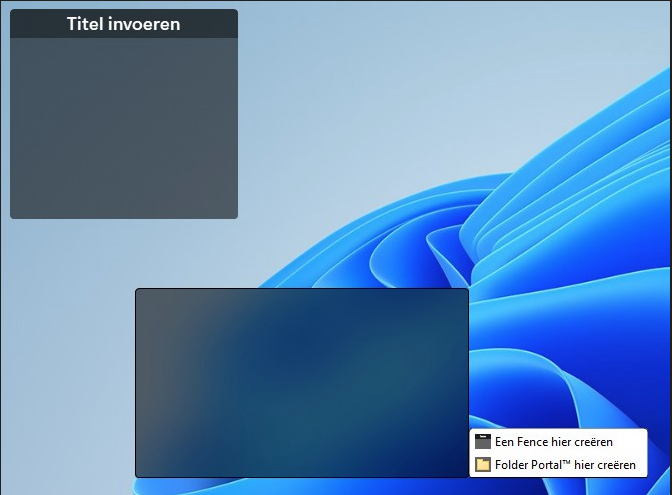
it is possible to draw the rectangle, but no menu pops up with CREATION-option.
Older fences are visible, but no new ones can be created.

Followed up on the discussion options, but no success. REinstalled FENCES 6, no changes.

after trying so many options, I am close to ask for return of purchase. No replies from Stardock support ...

Who can help me?
303 views 9 replies
Reply #1 Top

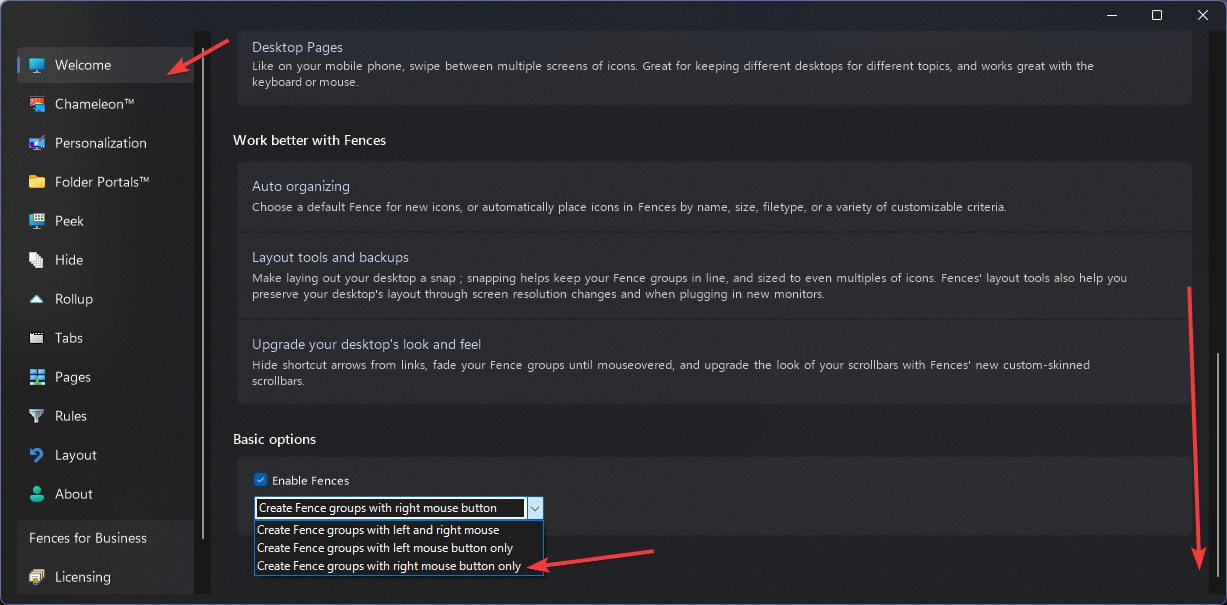
Worth looking at the Welcome tab under Basic options before you give up on it. There is a drop-down there that sets how new Fence groups get created, and if it is not on the mode you are actually using, you get your rectangle and nothing offering to create anything.

The one that catches people out is the mode where you have to hold both mouse buttons down together while you drag. A plain left drag then just gives you Windows' own selection box, which looks near enough identical to what Fences draws.

Set that drop-down to the left button only option and try the drag again.

+1 Loading…
Reply #2 Top

Hello,
Sorry to hear you are having issues. Have you look at this setting?

Thank you,
Basj,
Stardock Community Assistant.

+1 Loading…
Reply #3 Top

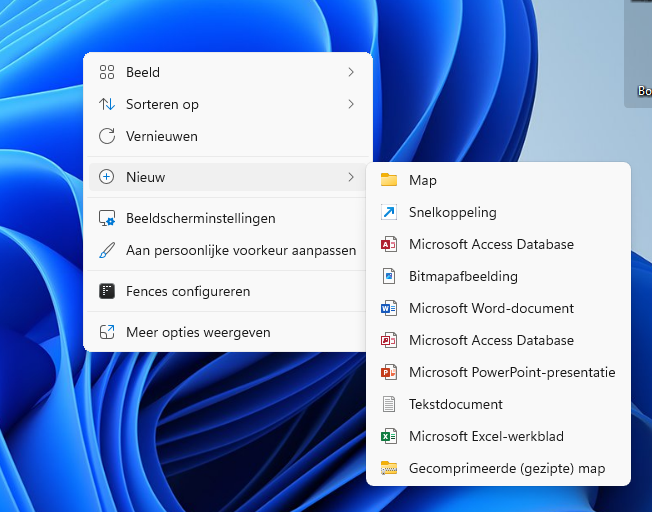
thx for support. Thing is that I can draw a rectangle, then the menu pops up, that gives no option "create Fence", and the rectangle disappears.

somehow the menu seems incomplete.

Regards,
Peter

Reply #4 Top

Thx for response.
I tried all options from this pulldown. as commented in previous reply, the fences menu that pops up, has no option "create Fence".
I closed any programmes that prevents pops-ups or stuff like that. Somehow the FENCES-menu is not complete, not installed, or is not allowed to add the FENCES-option to the menu.

As there is a rule in the menu (see: Fences configureren), I thought I needed to complete some option. But I can not find if configuration is incomplete, or any option that is waiting to be configured.

Reply #5 Top

It should work as default, there is no special setting needed to make it work. Perhaps something went wrong while installing. Please try purge and reinstall steps as mention here : [Link]. Just make sure to redownload the latest version from your account page. Reboot after the purge. Reinstall and reboot again after the installation. Retest and report back here.

If the issue still appear. We need more information.

  1. Windows 10 or 11? Pro or Home edition? Also need its full version and OS Build number. Use Winver.exe.
  2. Fences full version number installed.
  3. Please check for this : https://support.stardock.com/space/SHC/1331232868/Fences+is+not+starting+after+boot

Thank you,
Basj,
Stardock Community Assistant.

Reply #6 Top

thx,
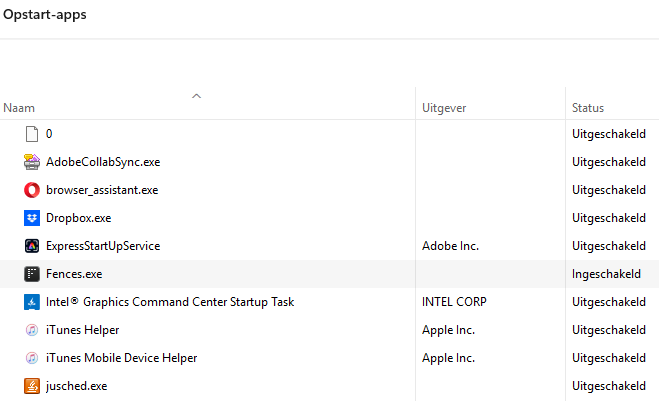
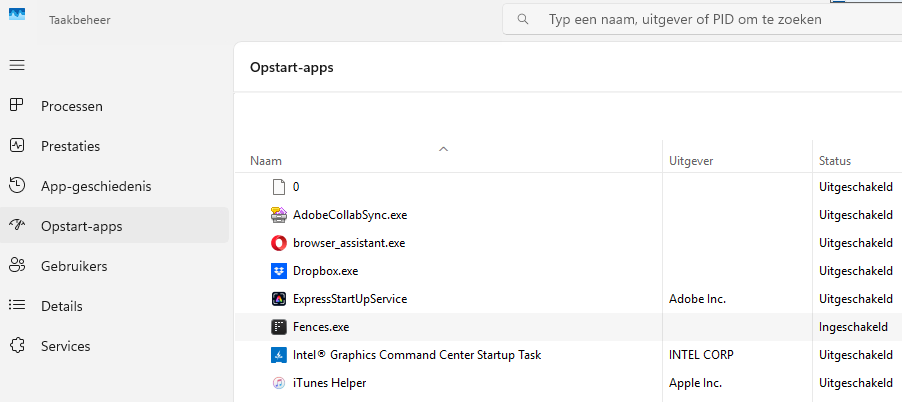
I will follow up on your advise. Performed some re-installations already, but never checked this Start-up-page... See picture, only one line is available.

will keep you posted 

Reply #7 Top

Are you able to move existing Fence groups?

Reply #8 Top

Yes, groups can be moved, but no other modifications are possible (name-changes etc)

Reply #9 Top

reinstalled fences again, and restarted. Lost all my existing fences in the process.....

Status: Working on Windows 11
-can draw rectangle and now menu pops up


-Taskmanager still shows only one FENCES-line, and not two (2)


Seems to be working for now: any additional tips are welcome, will spend my time on recreating the fences I lost in the process.. LOL
Otherwise the issue seems to be solved.

Thx all for support. Have a nice weekend!!
Regards,
Peter R Keus (NL)