Fences completely broken all of a sudden

even after complete uninstall/reinstall

All of a sudden, on my Windows 11 computer, with latest version of Fences (6.54) I couldn't drag desktop items into existing fences.
I'll spare you every step of debugging, ultimately I uninstalled "completely" (Including settings) and reinstalled
from a freshly downloaded copy of Fences.

This worked for a few minutes.
I made a fence or two, dragged in desktop items, thought all was well.
A few minutes later I came back and tried to drag one more file into a fence. No go.

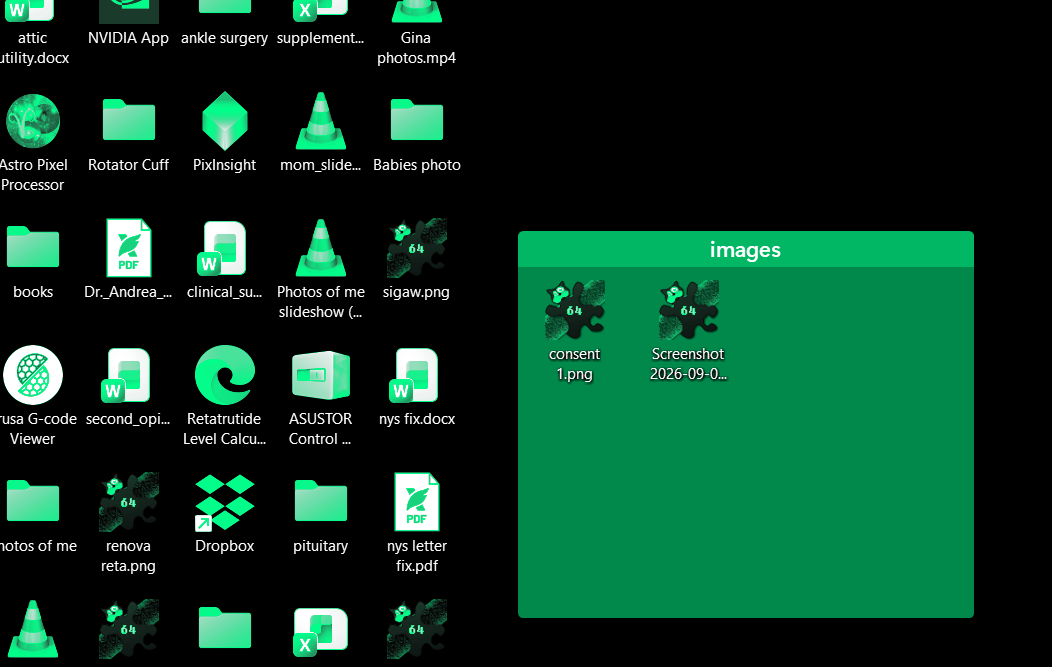
Also, when I changed the background color of my fences, the colors of my desktop icons (not in fences) changed too.

I have no sense that there is a problem with my computer, other than the issues with Fences.

Windows 11 Pro / Ver 24H2 / OS Build 26120.6982

Thanks.

429 views 5 replies
Reply #1 Top

Hello,

Sorry to hear you are having issues. Perhaps you're having the same issue as posted by this user: https://forums.stardock.com/542220/fences-6-54-release-feedback/page/1#4145432 (reply#4) and Dev has come up with a temporary release version to test, if you interested, you can download that version and test it out. (refer Dev post in reply#13) Or wait for it to get release properly in later date.

Thank you,

Basj,

Stardock Community  Assistant.

Reply #2 Top

Hi awolfbz, yikes. This sounds like an issue.

We're tracking one that involves multi-monitors and monitors going to sleep, that this could be a part of. Getting your logs would help.

(1) About → Troubleshooting → Enabled Advanced Debug Log, check/enable and reboot
(2) Reproduce issue. Directly after reproducing and attempting to do several drag drops,
(3) About → Troubleshooting → Upload crash report, and mention this thread.

Team would be happy to take a look.

Are you also unable to move groups? If unable and multi-mon, does moving work for groups any other monitors, top left bottom right etc etc? I.e. is it just some? Working to get to the root of it ty!

Reply #3 Top

I tried the test fix version:  v6.5.5.1

It works in one way -- it appears that this version DOES let me drag additional files into existing fences.
(I say "appears" because the most recent released version, when freshly installed allowed this, but only
for a few MINUTES. With 6.5.5.1, after several HOURS, I was still able to drag in new items. Will it persist?
I don't know.)

BUT... I still have the problem illustrated in the attached image. Altering the background color of fences
changes the color of EVERYTHING on my desktop.

I will do logs, when I have some time.

Thanks.

Alan Wolf

Reply #4 Top
Quoting awolfbz, reply 4145993

BUT... I still have the problem illustrated in the attached image. Altering the background color of fences

changes the color of EVERYTHING on my desktop.

End of awolfbz's quote

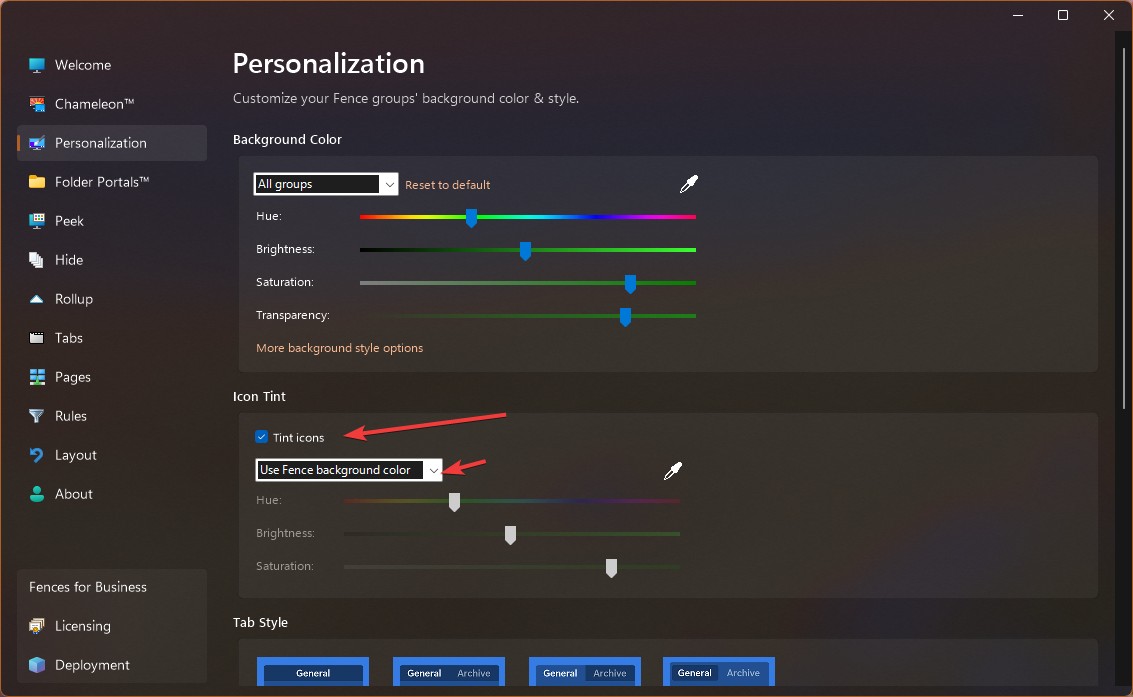
For this, try disabling this setting.

Thank you,

Basj,

Stardock Community  Assistant

Reply #5 Top

That fixed the color issue.
So, for now, seems like this version solved my problem.

Thanks!