Feature Request: Allow arbitrary icon order

Within a fence, I would like to force certain icons into specific positions at the beginning and then allow the remaining icons to be organized by whatever other rule is in place.  I realize that I can just drag them into the positions I want, however, I am working on a development project that installs multiple apps, and every time I install the next version during development, I have to manually put the icons into the positions I want.  It would be great if I could define that specific order in the fence's Sort By rules so that when I install the next version, and it replaces the icons, they get positioned in their desired positions.

742 views 5 replies
Reply #1 Top

Hi, able to mock up a screenshot of what you might want? Not sure we follow and so a more specific flow would help.

"Before" and "After, what happens now" and "After, what I'd like and what happened" would be helpful. Unsure if we can accomodate but we always like to add useful things where we can find room. Thank you!

Reply #2 Top

Also to be clear are we speaking about Folder Portals or regular icon groups?

Reply #3 Top

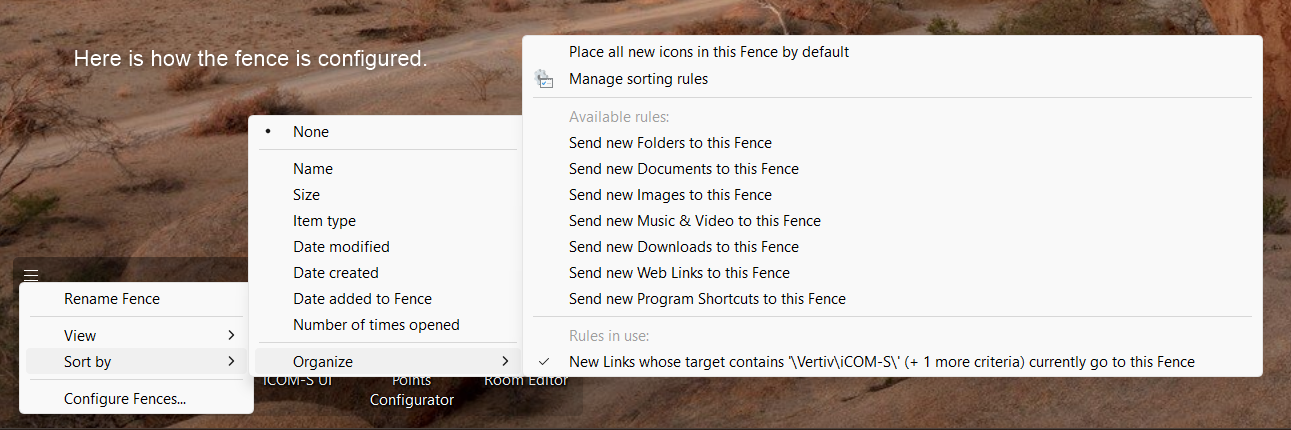
In my case I am using an icon group.  Here is how it is configured:  

Every time I install the next development version of our products, the existing icons are deleted and replaced with new icons.  At that point, they are shown in default alphabetical order.

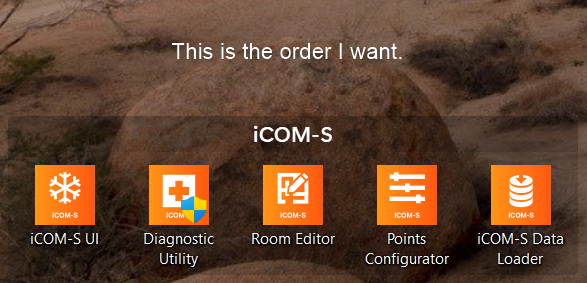
Then, I have to manually drag them to the order I want them to be in.  

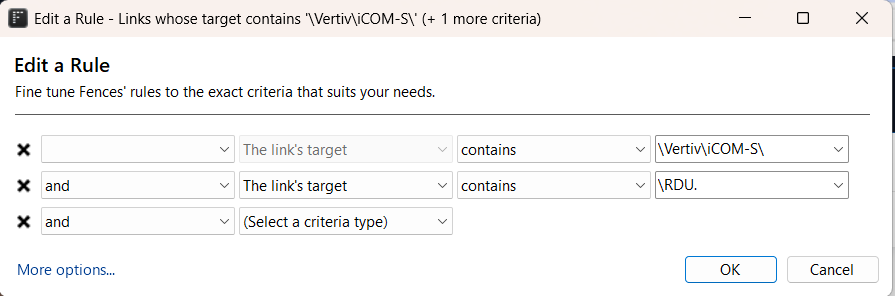
As you can see, this is an arbitrary order that can't be defined by any existing rule mechanism that I know of.

What I am envisioning is a configuration definition in which I say:

  • Put "iCOM-S UI" in position 1
  • Put "Diagnostic Utility" in position 2
  • and so on.

So, to make this totally flexible, imagine a way to reserve icon positions for specific icons, and the rest of the icons would fill up all other available positions according to the current sorting rules.  The reserved positions could be anywhere in the fence; they don't have to be at the beginning.  Also, although in my case I would specify the icons by name, I think the configuration definition should allow the icons to be specified in any of the currently supported methods.

In my use case, if we had this then every time I install the next development version, the icons would appear in their desired position right away and I would not have to move them.


Reply #4 Top

You have read the rules system right. Every rule type in there decides which fence group an icon lands in, not where it sits inside one:

  • Icon's name contains / does not contain / starts with / ends with / is exactly
  • Link's target contains / does not contain / starts with / ends with
  • Icon was created during a certain time of day, or a certain day of the week

None of those reserve a position, so there is no way to build what you are describing out of the current rule set. Sorting within a group is the same story, it gives you an order but not one you choose item by item.

The one thing in Fences that stores an arrangement and puts it back later is the layout backup, on the Layout tab in Fences 6. Save backup, then Restore a backup. They are kept in C:\Users\USERNAME\AppData\Roaming\Stardock\Fences\Backups.

One thing to test before you build a process around it. Arrange the icons the way you want them, save a backup, run your next dev install, then restore. What I cannot tell you up front is whether a restore puts per-icon order back for icons that were deleted and recreated by an installer, because the backup system is documented around fence group positions and sizes rather than icon slots.

If it does hold, that turns the manual dragging into one restore per build, which is not the feature you asked for but is a lot less work than what you are doing now.

Reply #5 Top

Hi Chris,

Hm. So yes sounds like you're saying the files get outright deleted then re-added. That is tricky. Indeed yes at this time there isn't a way to "lock" the positions, since they're being deleted. Fences 6 does have the concept of manually defining the order in the registry key, but, this is cleared upon load, and further, would be cleared upon deletion as well. We've considered things like this for our enterprise tooling and could give it another look