Groupy2 Bug Report
Explorer Window Resizing When SOLIDWORKS PDM Refreshes
 Stardock Forums
Summary
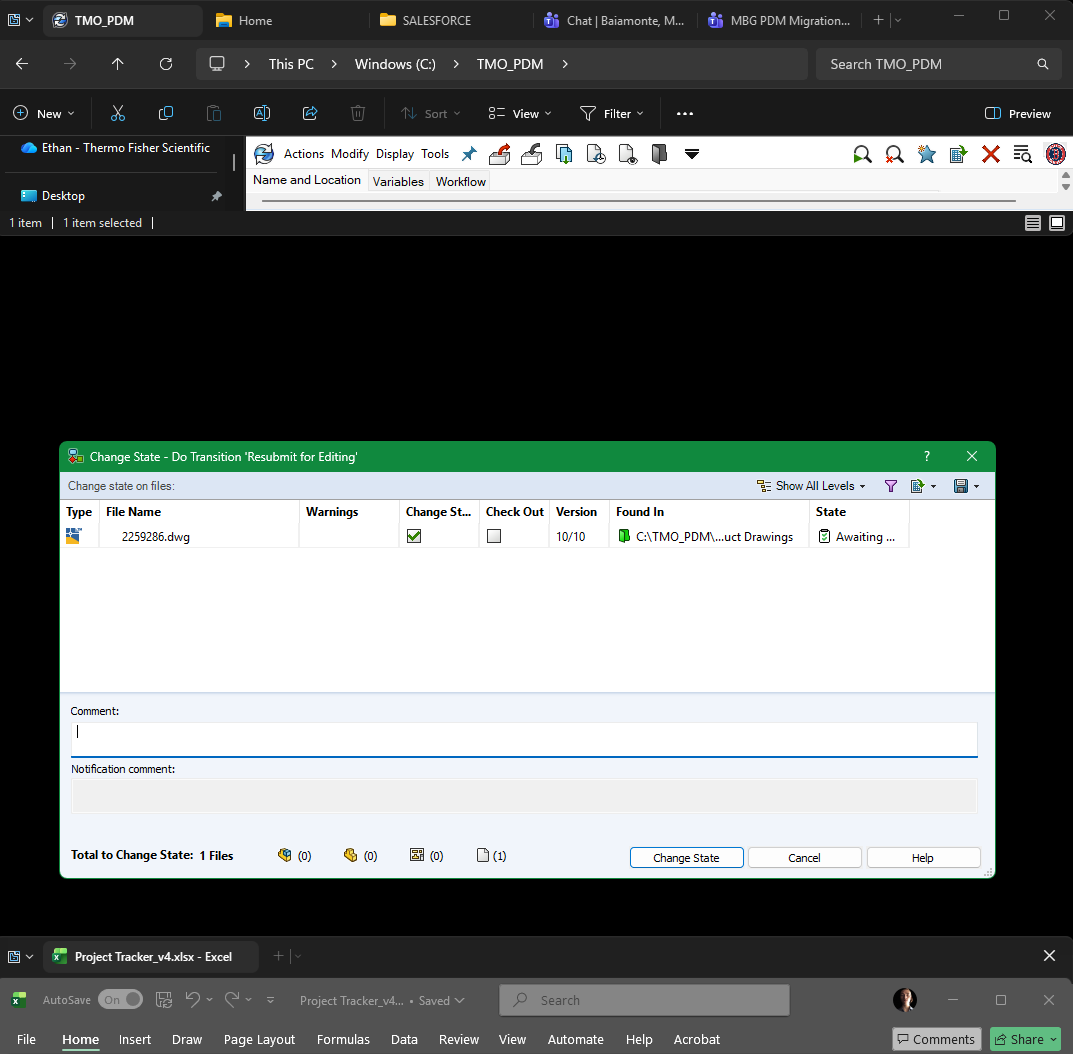
Groupy appears to incorrectly resize snapped Windows Explorer windows/tabs after a SOLIDWORKS PDM (Product Data Management) vault refresh. Whenever PDM refreshes following actions such as checking files in/out or changing a workflow state, the grouped Explorer window loses height and must be manually re-snapped to restore its original size.
Environment
-
Operating System: Windows 11 Enterprise
-
Version: 25H2
-
OS Build: 26200.8655
-
Windows Feature Experience Pack: 1000.26100.315.0
-
Application: Groupy
-
Affected Application: Windows Explorer hosting a SOLIDWORKS PDM vault
Expected Behavior
Refreshing the SOLIDWORKS PDM vault should not alter the size or snapped position of a Groupy-managed Windows Explorer window. The grouped Explorer window should maintain its existing dimensions and snap location throughout the refresh process.
Actual Behavior
Whenever SOLIDWORKS PDM refreshes the Explorer window, the grouped Explorer window becomes noticeably shorter in height. The reduced height makes the window difficult to use and requires manually re-snapping the window to restore its correct dimensions.
This occurs repeatedly throughout the workday because PDM refreshes are part of normal engineering workflows.
Steps to Reproduce
-
Open Windows Explorer.
-
Group multiple Explorer windows/tabs together using Groupy.
-
Open a SOLIDWORKS PDM vault in one of the grouped Explorer tabs.
-
Snap the grouped Explorer window to one side of the screen.
-
Perform an action that causes the PDM shell extension to refresh, such as:
-
Check a file into or out of the vault.
-
Change the file's workflow state.
-
-
Observe that after the PDM refresh completes, the grouped Explorer window has lost height and is no longer occupying its previous snapped size.
-
Manually re-snap the window to restore the correct dimensions.
-
Repeat another PDM refresh to observe the behavior again.
Frequency
100% reproducible whenever the PDM refresh is triggered through normal file management actions such as check-in/check-out or workflow state changes.
Impact
This significantly disrupts daily workflow. SOLIDWORKS PDM refreshes occur frequently during engineering work, so the Explorer window must be manually corrected many times throughout the day.
Because Groupy is central to my file management workflow, avoiding grouped Explorer windows is not a practical workaround.
Technical Observations
This appears to be an interaction between Groupy and the SOLIDWORKS PDM Windows Explorer shell extension rather than a crash or rendering issue.
SOLIDWORKS PDM integrates directly into Windows Explorer and refreshes the hosting Explorer window after operations such as check-in/check-out and workflow state transitions. During these refreshes, it appears that Explorer temporarily changes or recreates part of the window layout.
It is possible that Groupy is processing one of these temporary window layout or resize events (for example, WM_WINDOWPOSCHANGED, WM_SIZE, or related messages) as though it represents the window's new permanent size. As a result, the snapped window retains the reduced height instead of returning to its previous dimensions.
This may be a compatibility issue between Groupy's Explorer window management and third-party Explorer shell extensions that trigger window layout updates.
Additional Notes
If requested, I can provide:
-
Screen recordings demonstrating the behavior.
-
Exact versions of Groupy and SOLIDWORKS PDM.
-
Additional testing results to help isolate the interaction.
 WinCustomize Forums