Groupy not working with office apps

Hello, on my work computer, Groupy is not working with Microsoft applications, e.g. Word. It's working with Explorer, though. All works find with my personal computer. Any advice on how to rectify this? Thanks

747 views 13 replies
Reply #1 Top

Hello,

Sorry to hear you are having issues. From what I remember, Groupy worked well with Ms Office apps. First, Please try, uninstall Groupy, reboot immediately (important), download latest version available in your account product download page: https://store.stardock.com/myaccount/products. Install it, reboot immediately again. Retest it and report back.

If the issue still appear, need to know few more details.

  1. Need to know your Windows 11 full version and OS Build number.
  2. MS Office latest build? version number please.
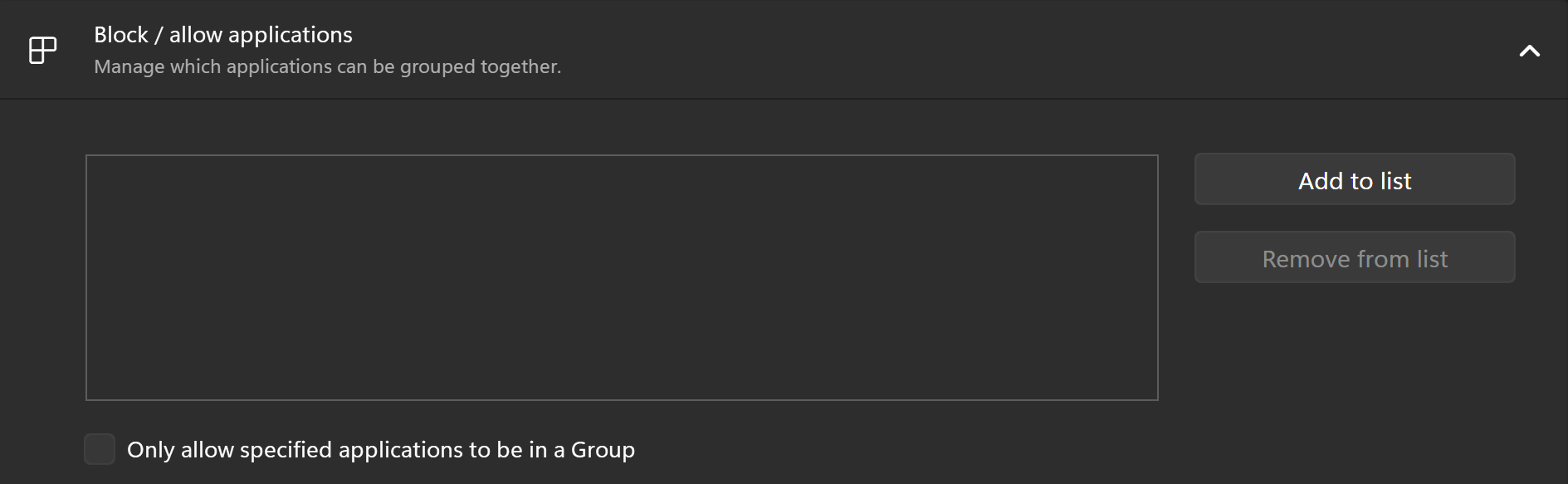
  3. Check if you have not set Block Groupy from grouping the MS Office apps.

Thank you,

Basj,

Stardock Community  Assistant.

Reply #2 Top

Hi Basj,

I have followed your instructions (uninstall, reboot immediately, install, reboot immediately). Still the problem prersists in MS Office.

Windows 11, version 25H2, OS build 26200.8655

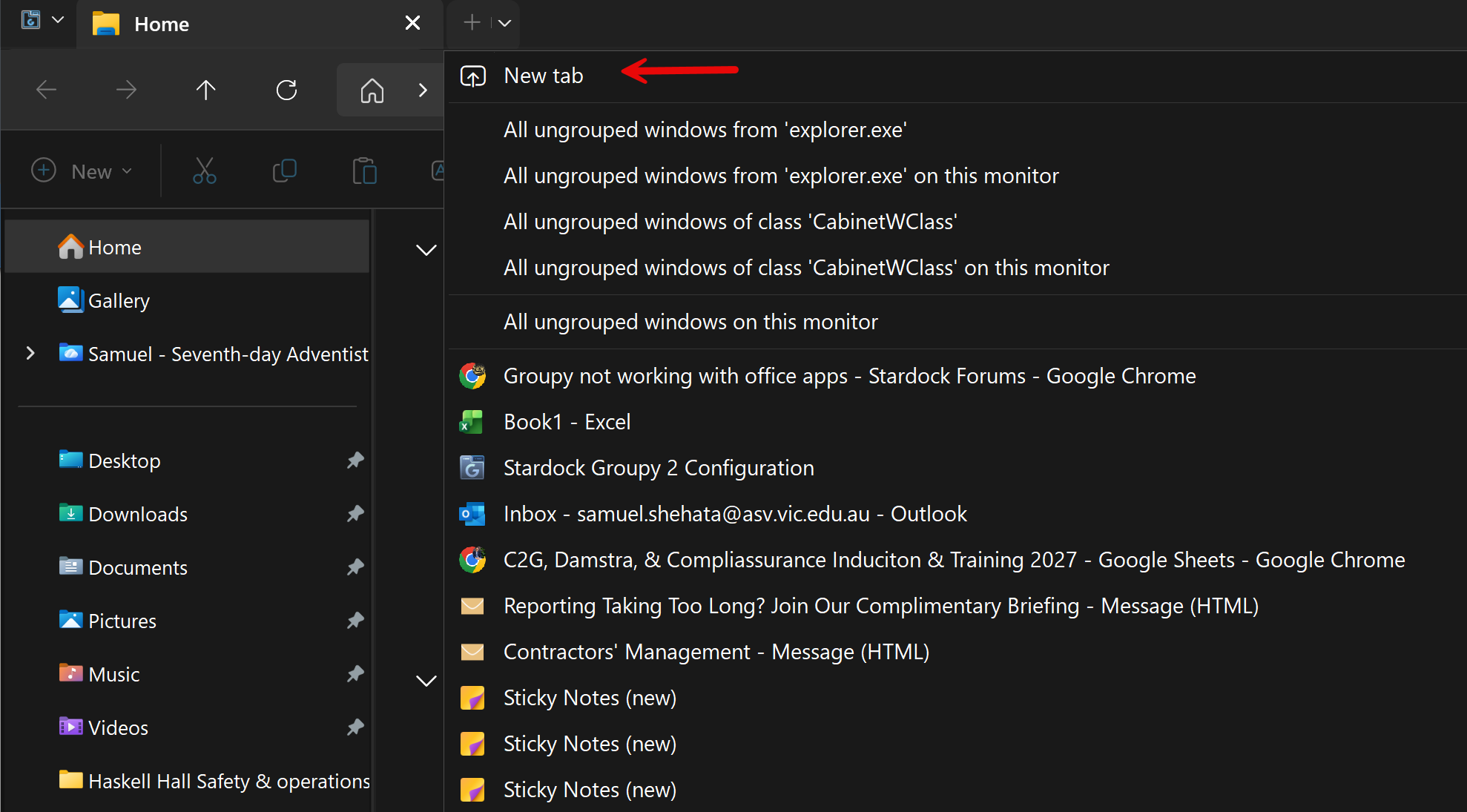
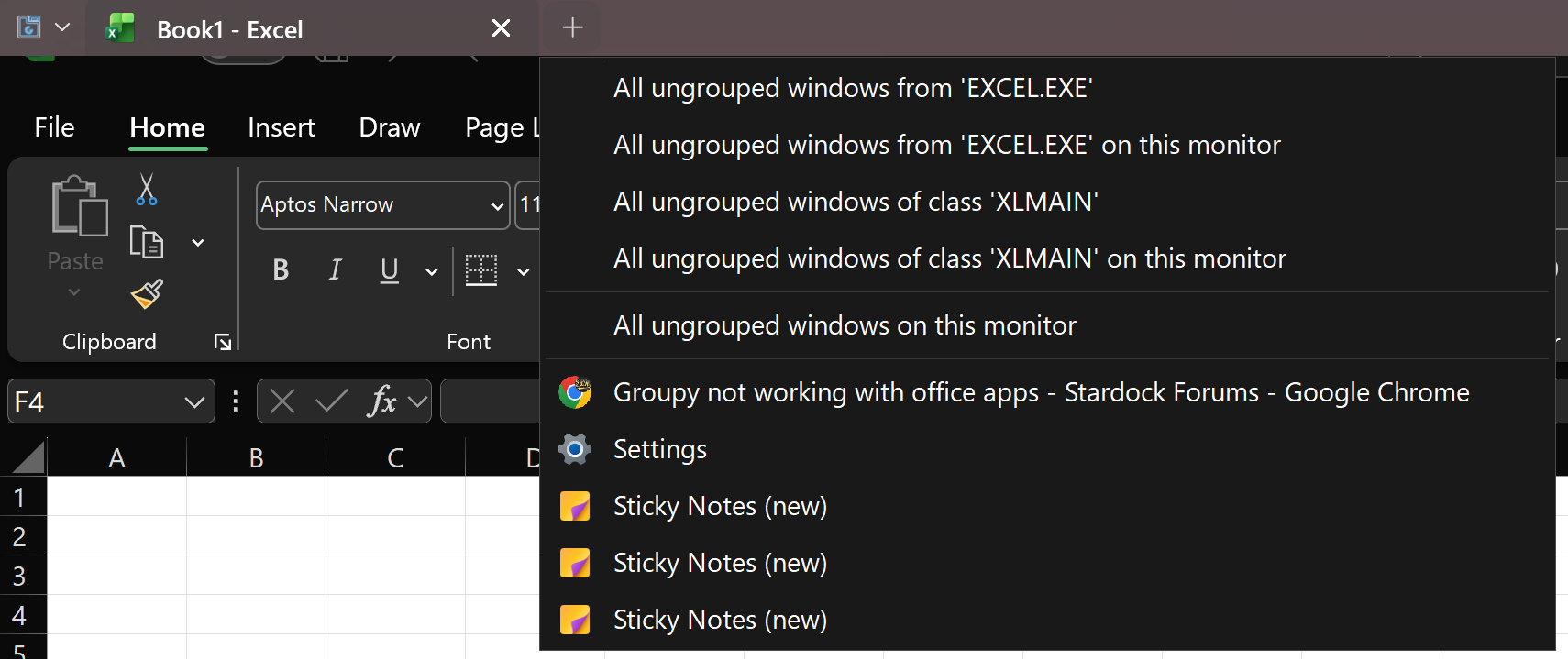
I have noticed when hovering over excel I get the below, however, can't add a tab. The same with Power Point, but not with Word.

Reply #5 Top

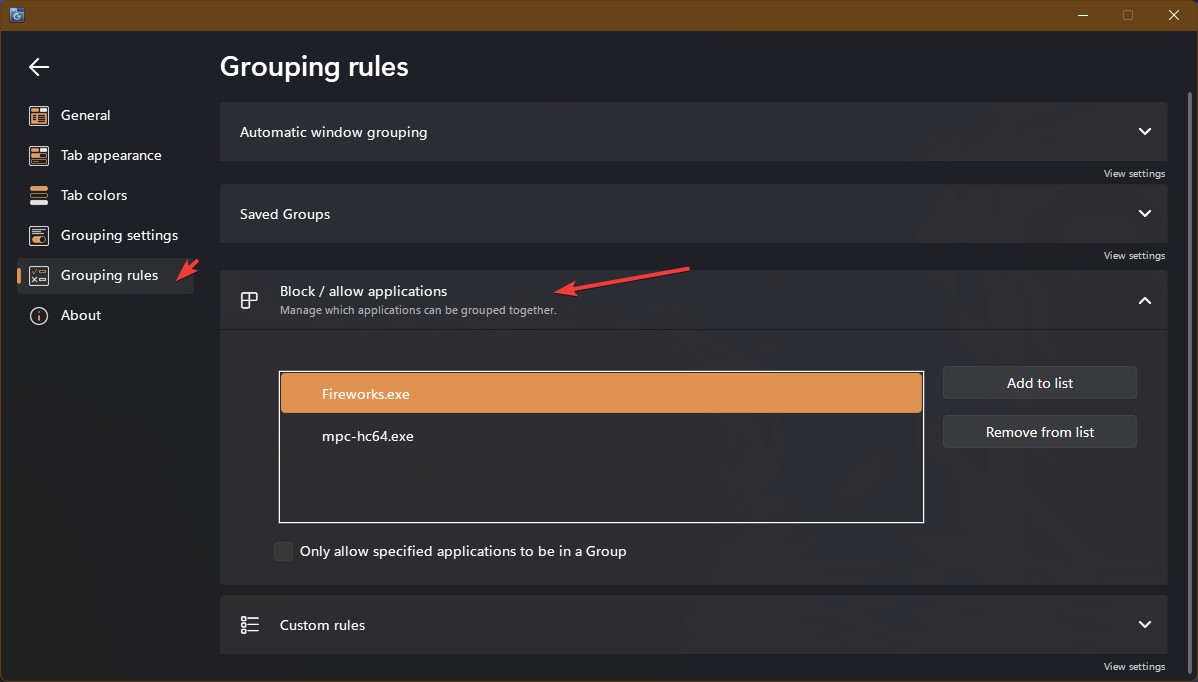
Please check this blocked/allowed application settings: 

Also check if there is any custom rules in the "Custom rules" area.

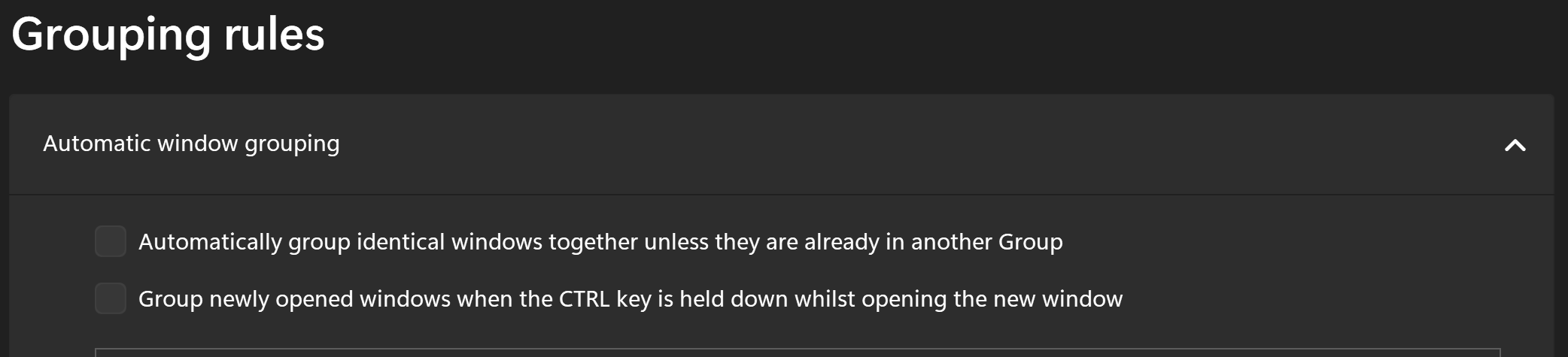
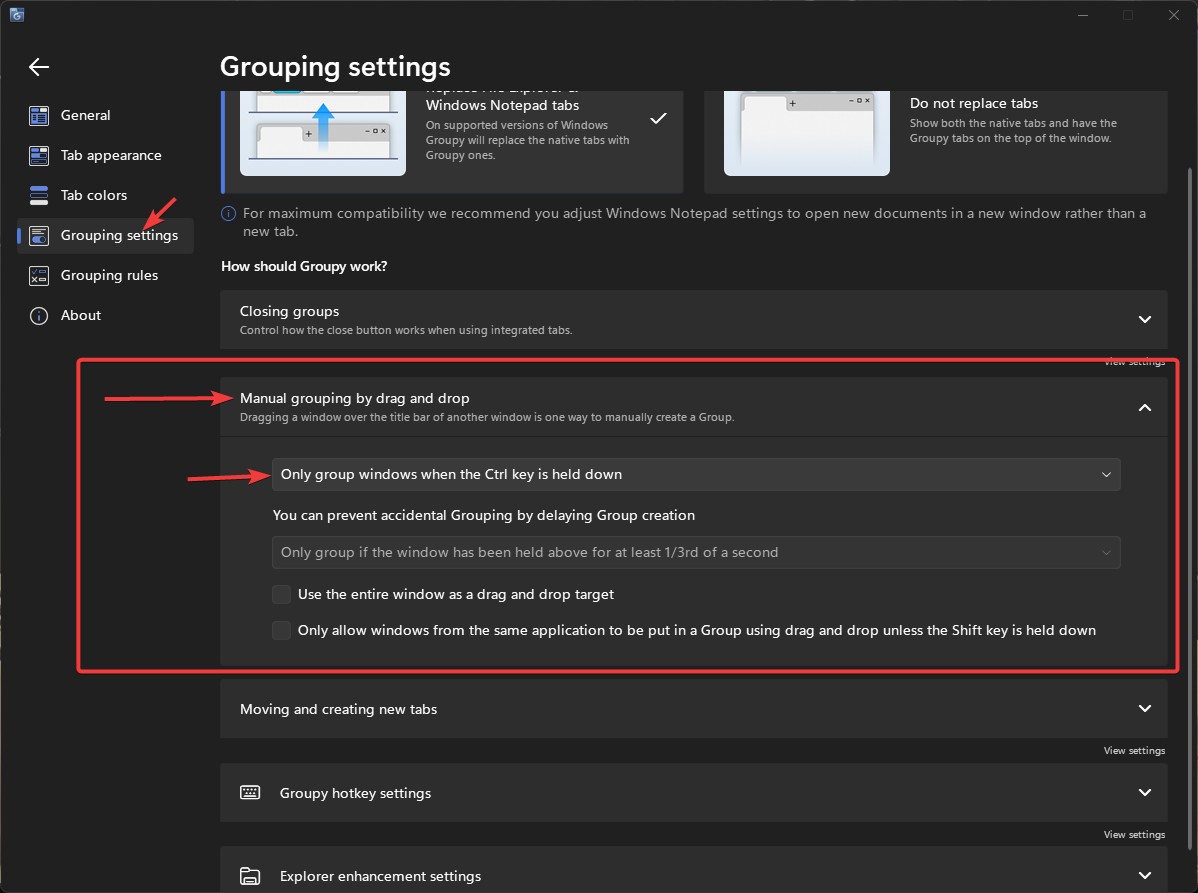
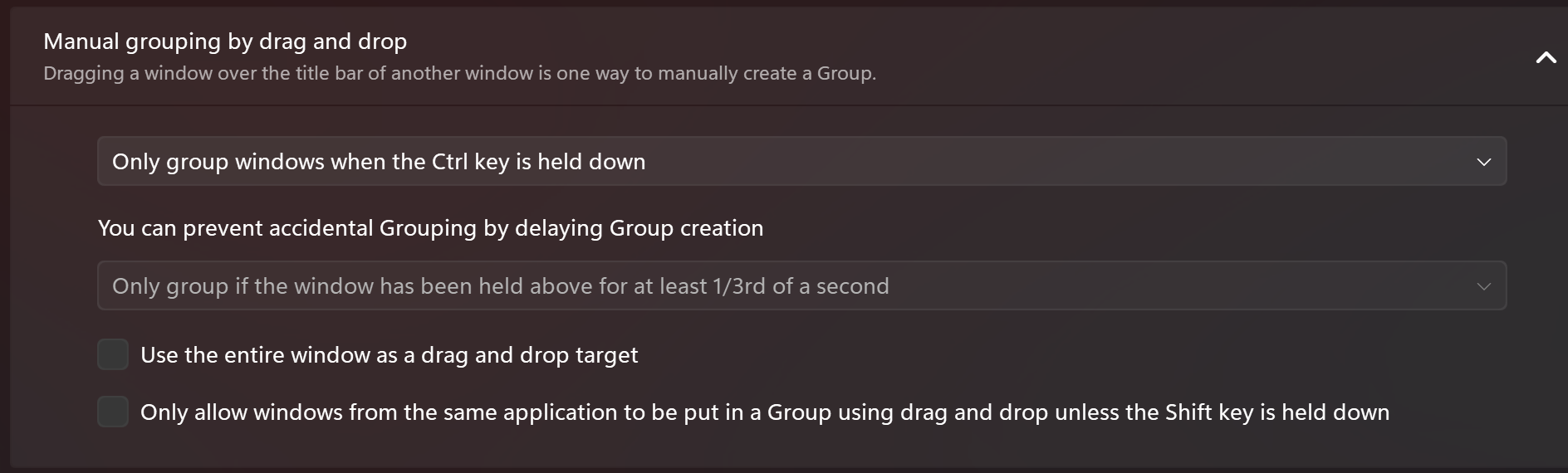
And, check your setting on Manual Grouping by drag and drop,

Thank you,


Basj,

Stardock Community  Assistant


Reply #8 Top

So for example, when you drag Excel worksheet over opened Word documents while pressing Ctrl. Does something like Stardock's Groupy promo video below appear? The "Insert into group here" tab (0.17s on the video)

Thank you,

Basj,

Stardock Community  Assistant

Reply #9 Top

Hi Bsj,

Appreciate your support. I have uninstalled office and installed back. Still the problem is there. Only when hovering on excel and power point the groupy tab apears not as my other computer. Also, Word not working at all. Any possibility for you to remotely see my laptop please as I'm not focusing anymore.

Reply #10 Top

Unfortunately, we don't do remote support. We only do forum support for technical issues. So, to clarify your issue currently on MS Word not grouping, yes? And, the issue only appear on one system and not on your other system, yes? 

Would like to suggest try Clean Boot and see if it help. Refer here for Clean boot steps: https://support.stardock.com/space/SHC/1346994300/Groupy+Clean+Boot. Do note that Clean Boot need to be done with care. Please try it and report back.

Thank you,

Basj,

Stardock Community  Assistant 

Reply #11 Top

I'm able to fix Excel and PowerPoint, which is weird that I had to do this for each separately. Word is still problematic. 

Reply #13 Top

Really great to hear it all were resolved, but I am not really sure what you mean by "I had to do this for each separately".

Thank you,

Basj,

Stardock Community  Assistant