sdRohan sdRohan

Start11 v2.72 Release Feedback

Start11 v2.72 Release Feedback

With the Start11 v2.72 release today, we are creating this thread so that users can report any observed issues.  

Obtaining the product

Object Desktop members can get the release from within Object Desktop Manager 

Individual purchases (as well as Object Desktop Members) can also be obtained from your account page: https://store.stardock.com/myaccount/products

For guest check-out purchase (no account), from this link: http://www.stardock.com/support/productkeyretrieval

Reporting an issue

Please include the following for anything found:

  • Exact Windows version \ build (winver.exe)

  • Detailed steps to recreate the issue seen

  • Screenshots and videos are very helpful.  Videos can be uploaded to a cloud drive service (GoogleDrive, DropBox, OneDrive, YouTube), with a shared link included in your post.  Images can be copied and pasted directly into a post.

  • If there are specific apps that the app does not work (well) with, please note what apps and their exact versions.  If any app is not common, a link to a trial version would be appreciated.


1,301 views 53 replies | Pinned
Reply #51 Top

Actually, looking at it again by setting to "never" as suggested by pelaird. I see no gap.

If you still see gap, perhaps, post a video showing what you see on your system. 

Thank you,

Basj,

Stardock Community  Assistant

Reply #52 Top

I can reproduce the small additional gap when using search on Win7/Modern styles and this will be addressed in future builds.

Reply #53 Top
Quoting dinive6697, reply 3994927

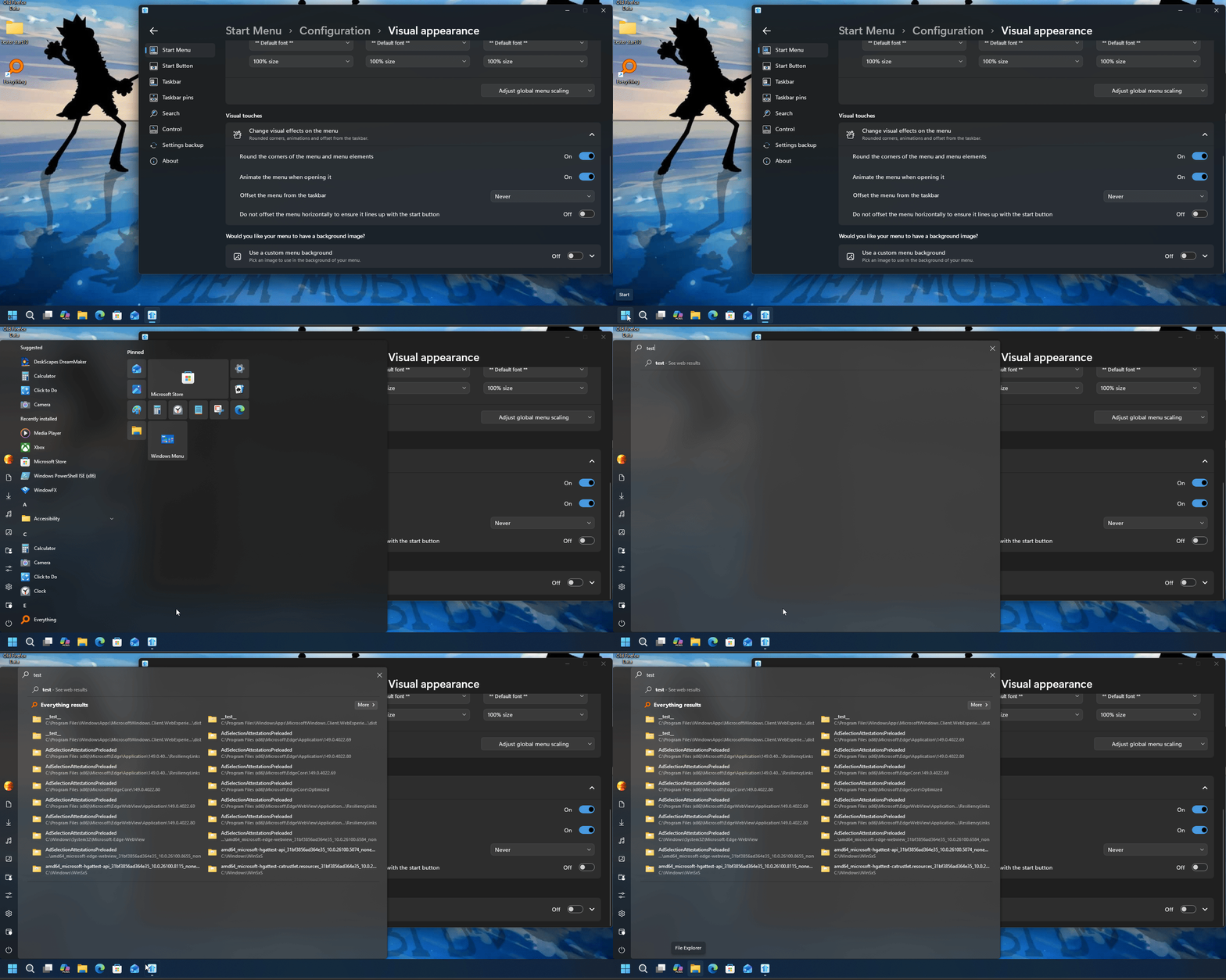
I am experiencing a visual "seam" bug when using the Left Alignment option.

The issue behaves slightly differently depending on the style:

Windows 11, Windows App, Windows Pro, & Windows Launcher styles: The seam is constantly visible even without the search bar.

End of dinive6697's quote

Now that I've noticed it, I can't unsee it.

Based on my analysis below, while this behavior seems intended since it was designed for Windows 11, it is quite distracting on Windows 10.

Having an option to toggle this effect off would be highly appreciated.

Below is the analysis I performed on Windows 10.

Offset the menu from the taskbar (Windows 11, App, Pro, Launcher styles): Only when centered
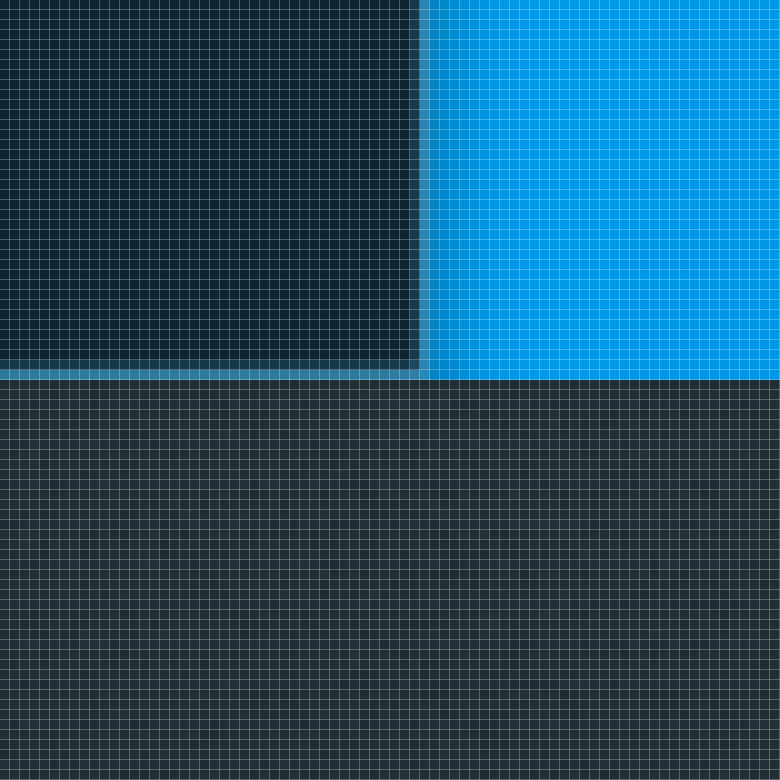
Offset the menu from the taskbar (Windows 11, App, Pro, Launcher styles): Never
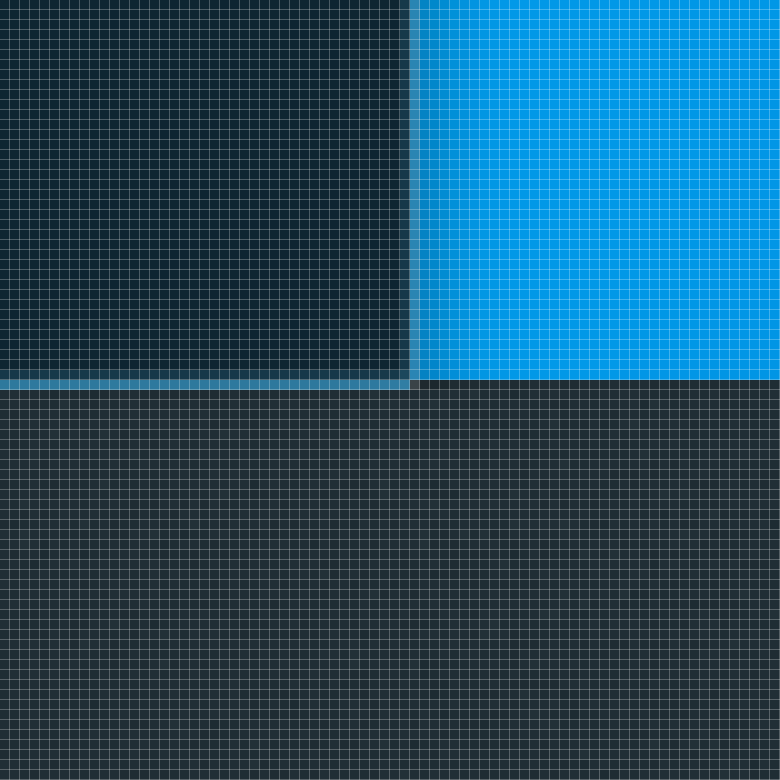
As shown in the two images above, setting Offset the menu from the taskbar to Never in the Windows 11, App, Pro, and Launcher styles moves the Start menu down by 1 pixel. This also brings a 1-pixel gap with it, leaving a 1-pixel hole in the taskbar.

Based on this, there doesn't seem to be an issue with the position of the Start menu itself, but rather with the 1-pixel effect around it. It would be great if there was an option to turn this effect off.

Here is a link where you can slide to compare the images. You can use the dropdown menu in the top-left corner to compare the Windows 7, Modern, 10, and 11 styles.