Stardock Start11 v2 not working

Start11

Its a long time I haven't used it, I had to re-install windows again on my laptop, I've install it with registered key but it doesn't work it still show Window 11 Menu, I tried restart Windows but still no go.

In Windows Services I see "Stardock Start11 services"  running, left click on windows menu there is no Start11 settings.

I can only access the menu when I go to C:\Program Files (x86)\Stardock\Start11\Start11Config.exe I see the Configuration its activated, Start Menu -> Style Window 7 Style is on, but don't see it.

385 views 11 replies
Reply #1 Top

Hello,

Sorry to hear you are having issues. Please try, uninstall Start11, reboot immediately (important), download latest version available in your account product download page: https://store.stardock.com/myaccount/products. Install it, reboot immediately again. Retest it and report back.

If the issue is the same, Please try few steps below.

Once all those checked, report back with few more details.

  1. Windows 11 full version and OS Build number. Use Winver.exe to get these information.
  2. Start11v2 version you trying to install.

Thank you,

Basj,

Stardock Community  Assistant.

Reply #2 Top

Back again,

                    Tried still not getting Start11 Menu, I still see Windows 11 Menu.

My license is the Start11 v2 Upgrade, I've activated the license after I've installed Start11 (v2.71) then booted the laptop.

I've checked this link https://store.stardock.com/myaccount/products/ it looks right. I've cleared it first before activating the software.

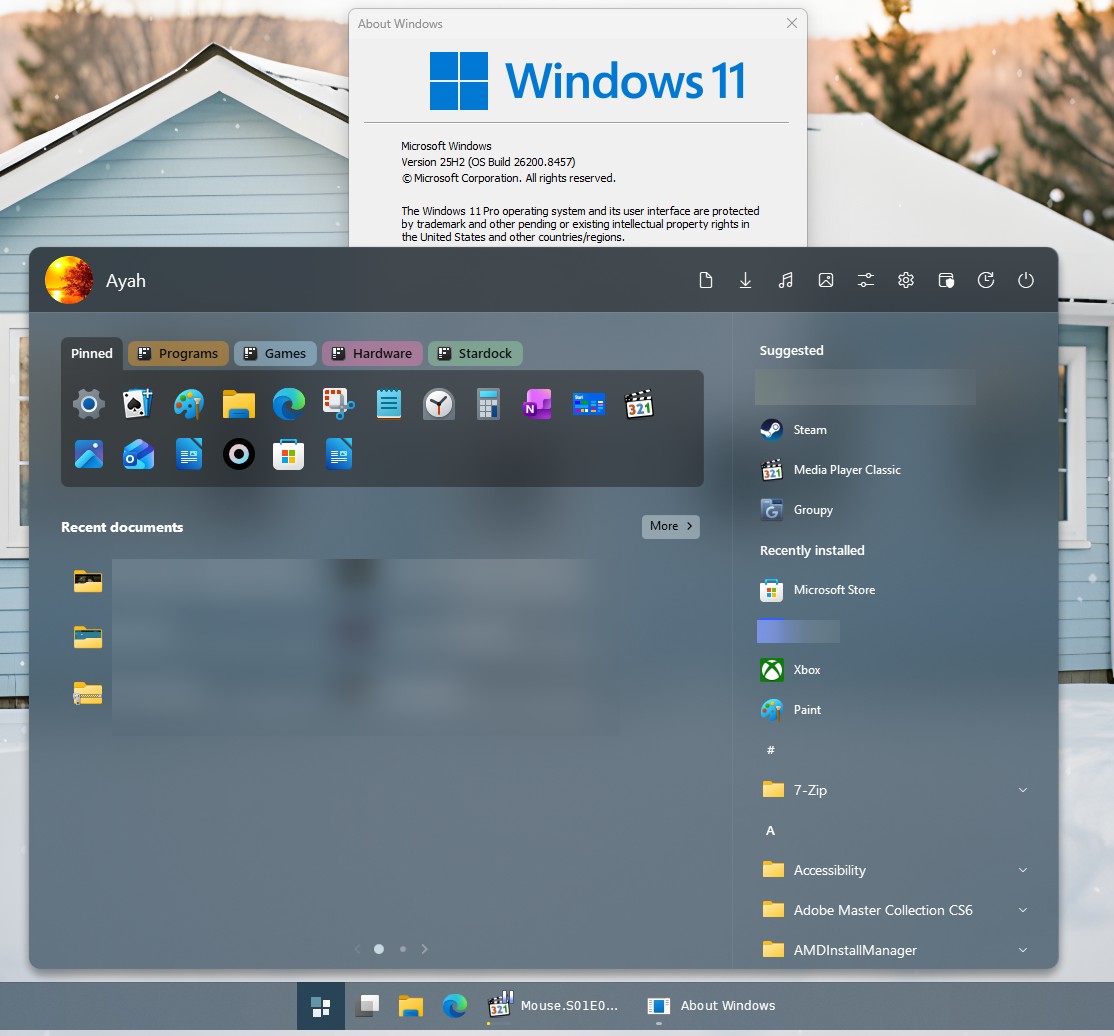
My Windows 11 version 25H2 (OS Build 26200.8524).

Before I had StartAllBack (removed completely) because Start11 wasn't working so I thought I try again, I bought Start11 v2 2 yrs ago.

Reply #3 Top

Perhaps something is blocking Start11 from working properly. Please try clean boot. Refer here for steps: https://support.stardock.com/space/SHC/1334935592/Start11+Clean+Boot. Do know that Clean Boot, need to be done with care. Please try it and report back.

Thank you,

Basj,

Stardock Community  Assistant 

Reply #4 Top

Nothing, still see Windows 11 Menu. 

Created a new admin user but still see nothing, tried also msconfig.exe switching apps services also tried Safe mode, I've had to uninstalled Bitdefender AntiVirus.

Could be blocked but not sure or probably it doesn't work on this Windows 11 version.

Reply #5 Top

Start11v2 work in my system without issue.

Please try testing Start11 in Windows sandbox : Refer here: https://support.stardock.com/space/SHC/1416855562/Testing+Start+in+Sandbox. Try it and report back. 

Thank you,

Basj,

Stardock Community  Assistant

Reply #6 Top


OK I checked using Windows Sandbox it worked perfectly, I am not sure what's blocking it or interferencing Start11, I was using before "StartAllBack" it worked no problem but I have uninstalled and cleaned the registry.

Reply #7 Top

The only other way I could suggest is to do a new Windows 11 fresh install. Perhaps something that was done while using StartAllBack is still not properly undone when you uninstalled StartAllBack.

Thank you,

Basj,

Stardock Community  Assistant

Reply #8 Top

I used Revo Uninstall Pro and also edited my registry to delete the leftovers.

I said before at the start of message (first) I did a fresh install couple weeks ago, I am not doing it again because it takes days to install and setup all the software and drivers. At the start after installing Windows I installed "StartAllBack" first because I didn't have the serial no. for Start11 I had to setup my Email first to get the serial I had to download all my email backup from the Microsoft email server, I forgot to write it down. Anyway Start11 is not that strong when it comes with these problems , so I am stuck with StartAllback.

Reply #9 Top

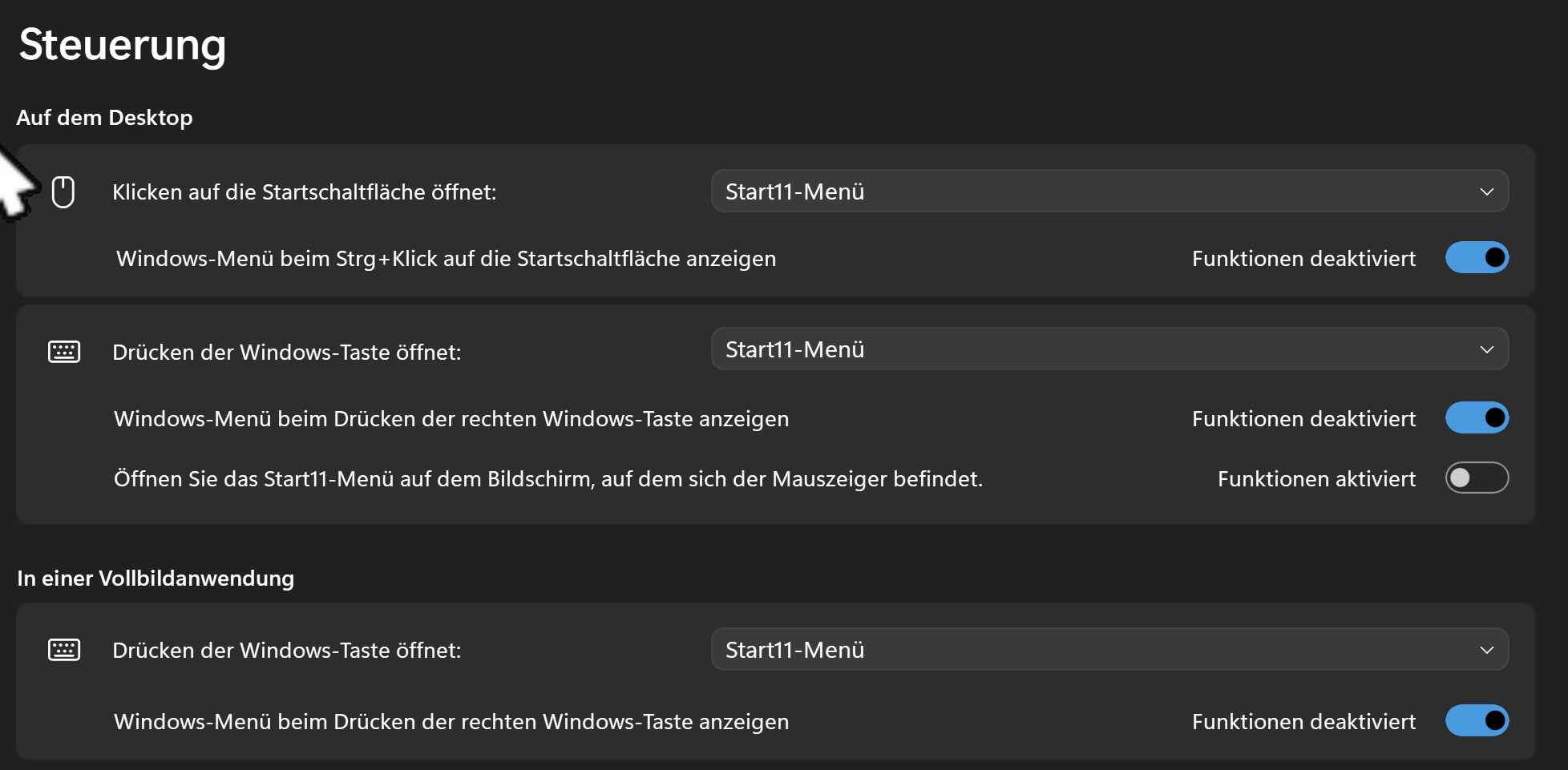
I once had this and Start 11 just was not activated in it's settings.


Of course this is german, but look for control and 'click in start`' or something. Also Start 11 and StartAllBack or Windhawk don`t come along together.

Reply #10 Top

Selecting "Start11-Menu" I get nothing. I still see "Startdock Start11" services still running in the background, I only can get the Settings Menu pop up but the switches are doing nothing at all.

Thanks anyway.

Reply #11 Top

Hello,

As you’ve observed, Start11 works correctly on a fresh Windows installation, as confirmed by your Sandbox test. This strongly suggests that StartAllBack or another third‑party modification in your current setup is interfering with Start11’s functionality.

At this stage, the most reliable way forward is a clean Windows installation on your main system. This ensures a baseline environment without conflicting components and allows Start11 to run as intended.

Thank you,

Basj,

Stardock Community  Assistant