Resolved issue with Show recently installed apps not saving the setting for Windows 7/Modern styles when using Win10 style all apps list
Extended edit fields in Start11 to support Ctrl + backspace to delete the last word.
Custom icons are now used in groups, which are opened as a menu as well
Dark custom colours will make Win7-style menus use dark mode instead of light mode as before. This can be controlled by creating a value S11_ForceDarkMode in HKEY_CURRENT_USER\Software\Stardock\Start8\Start8.ini\Start8 of type String and giving it a 1 to force dark always, or 2 to force it to be light always (0 means auto)
Dark mode Win7 menus now respect the colour the user picked for the taskbar when in auto mode rather than defaulting to black
Everything search now respects the search filters built into S11 search
Fixed the recent docs list to filter out folders when the option to hide folders is enabled
Resolved an issue with some incorrectly saved pinned items with shell:appsFolder at the front of them in error
Added an option to hide shadows on the Start11 menu. This can be controlled by creating a value S11_HideShadows in HKEY_CURRENT_USER\Software\Stardock\Start8\Start8.ini\Start8 of type String and giving it a 1 to hide shadows or delete (or set to 0) for show shadows
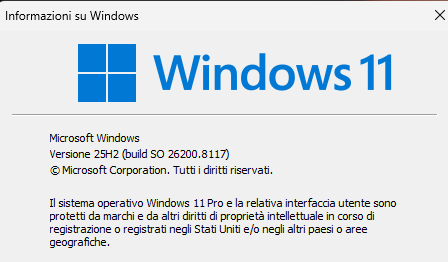
Fixed issue with search window appearing too high on the screen when using a left/right taskbar on Win11 25H2
Resolved issue with combined taskbar buttons in enhanced mode not clicking on the right item when clicked sometimes on some machines.
Resolved issue with having enhanced taskbar autohide enabled and then switching back to non enhanced taskbar causing issues.
Resolved issue with thumbnails overlapping wider right-aligned vertical taskbars.
Resolved search on 25H2 with a right-aligned taskbar overlapping the taskbar slightly.
Resolved some desktop icon placement and dragging behaviours when the taskbar is at the top of the screen on Windows 11.
Resolved issue with right click menu on taskbar on the top when in autohide mode juddering a bit sometimes
Resolved taskbar not hiding in autohide mode on first run sometimes.
Resolved some tooltips on on top taskbars not showing correctly when used with an autohide taskbar.
Resolved some clipping of thumbnails on the taskbar in certain situations
Added Ctrl override for resizing Win11 etc style menus to allow menus to be a little smaller. So hold ctrl when resizing and it will be allowed to be a bit smaller than before.
On top taskbars now have the tray icon expansion arrow pointing down correctly instead of up
Resolves an issue with the brand new preview KB5086672 update where on top taskbars have the icons sitting under the taskbar sometimes.
Enables MS Edge pinned weblinks to use the icon from the webpage (note that these are low res so on large sizes they will not look perfect)
Resolved issue with Copilot not having the right pinned taskbar icon
Added a registry key S11_BLOCKMOSTTASK which when created as a string with value "1" will stop S11 doing much with the taskbar. This is for compatibility with some third party tools. This WILL disable enhanced taskbar, taskbar colour control, custom start button etc. The location is HKEY_CURRENT_USER\Software\Stardock\Start8\Start8.ini\Start8 and you have to restart explorer after changing.
A /s (silent) uninstall will not pop the uninstall survey.
Some fixes to allow rounded corners to work better on vertical taskbars including a fix to stop the taskbar going onto a screen to the left of it in error
A fix for some flicker issues on the desktop icons when using a left aligned taskbar
A fix for toggling taskbar autohide status on the taskbar not always resetting the work area correctly
A fix for swapping between virtual desktops with an autohide taskbar and rounded taskbar on causing the taskbar to still be partially visible sometimes
Resolved an issue with vertical secondary taskbars not repositioning correctly when rounded and offset from the screen border
Worked around an issue on latest Win11 builds with the search box on vertical taskbars sometimes painting without an icon
Added in UI option to disable all taskbar functionality in S11
Fixed issue with vertical taskbar and some rounding options stopping the menu opening at all
Desktop icons did not always shift over correctly when you had vertical taskbars on the secondary display
German string edits, credit: https://github.com/Naxterra
Four new strings added
Fixes an issue with two search buttons showing on the taskbar on Windows 11 when one taskbar is vertical and one is not introduced in the last build
Resolves the click and thumbnails move issue


 Stardock Forums