Start Windows 11
Windows 10 Style (search) Small Menu
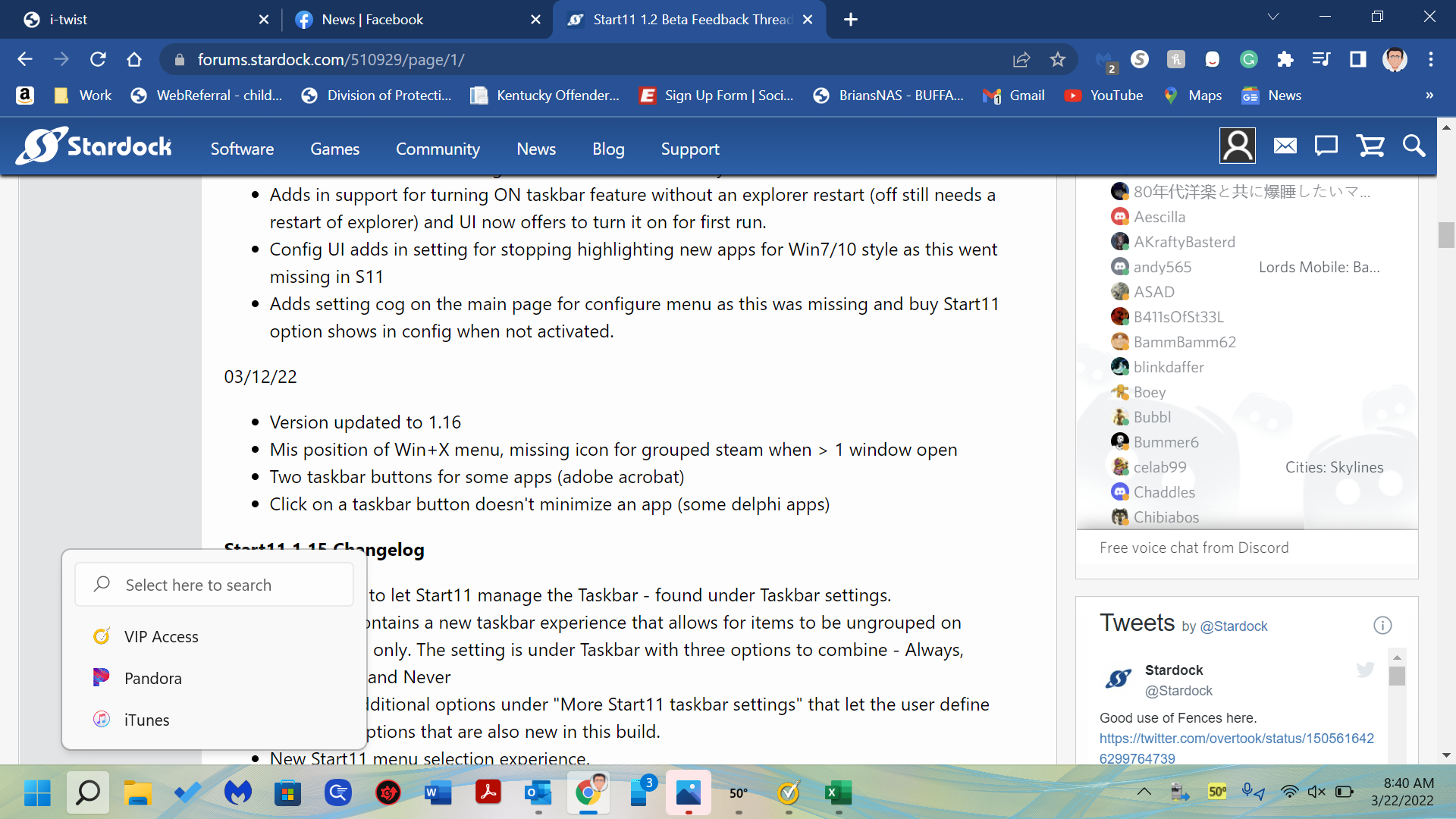
How do I get the small box to go away? It's annoying doesn't work and I just want the "Big" menu/search box.
Thank you
Stardock will be closed for the week starting on Monday, June 29th and we will be returning on Monday, July 6th. We will be monitoring support tickets and forums during this time but expect delays in responses during this time.
Windows 10 Style (search) Small Menu
How do I get the small box to go away? It's annoying doesn't work and I just want the "Big" menu/search box.
Thank you

Thats a feature of Windows 11 itself.
If you hover over the search button you get that search option.
You can disable that by going to Windows taskbar settings and under taskbar behaviours unticking "Show recent searches when I hover over the search icon"
Welcome Guest! Please take the time to register with us.