
WindowBlind not start
from  Stardock Forums
Stardock Forums
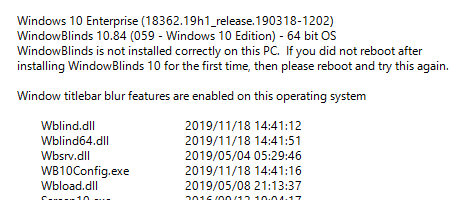
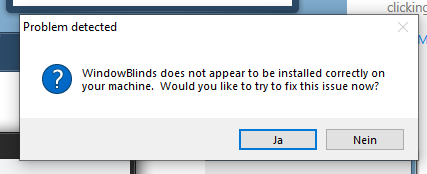
this ist the Problem


For Eset Please try this guide :
But need to mod steps 15-21 as below
15. I change the drop down menu to "All files" than press next.
16. Application operations : All operations selected.
17. Next.
18. Applications : again change the drop down menu to "All applications" than press next.
19. Registry operations : Select all registry operations.
20. Press next : Registry Entries : again change the drop down menu to "All entries"
21. Press Finish.
The steps was successful implemented as mentioned in this thread : https://forums.stardock.com/493358
Try it and report back.
Thank you,
Basj
Stardock Community Assistant.
Welcome Guest! Please take the time to register with us.
Select a reason for giving karma:
You're about to visit an external site:
Sign up here to get the latest news, updates, and special offers delivered directly to your inbox.