Roll up button
How do you add a rolup button to an existing skin that only has the standard minimize restore and close buttons? Thanks to all in advance for answering.
Stardock will be closed for the week starting on Monday, June 29th and we will be returning on Monday, July 6th. We will be monitoring support tickets and forums during this time but expect delays in responses during this time.
How do you add a rolup button to an existing skin that only has the standard minimize restore and close buttons? Thanks to all in advance for answering.
Hello,
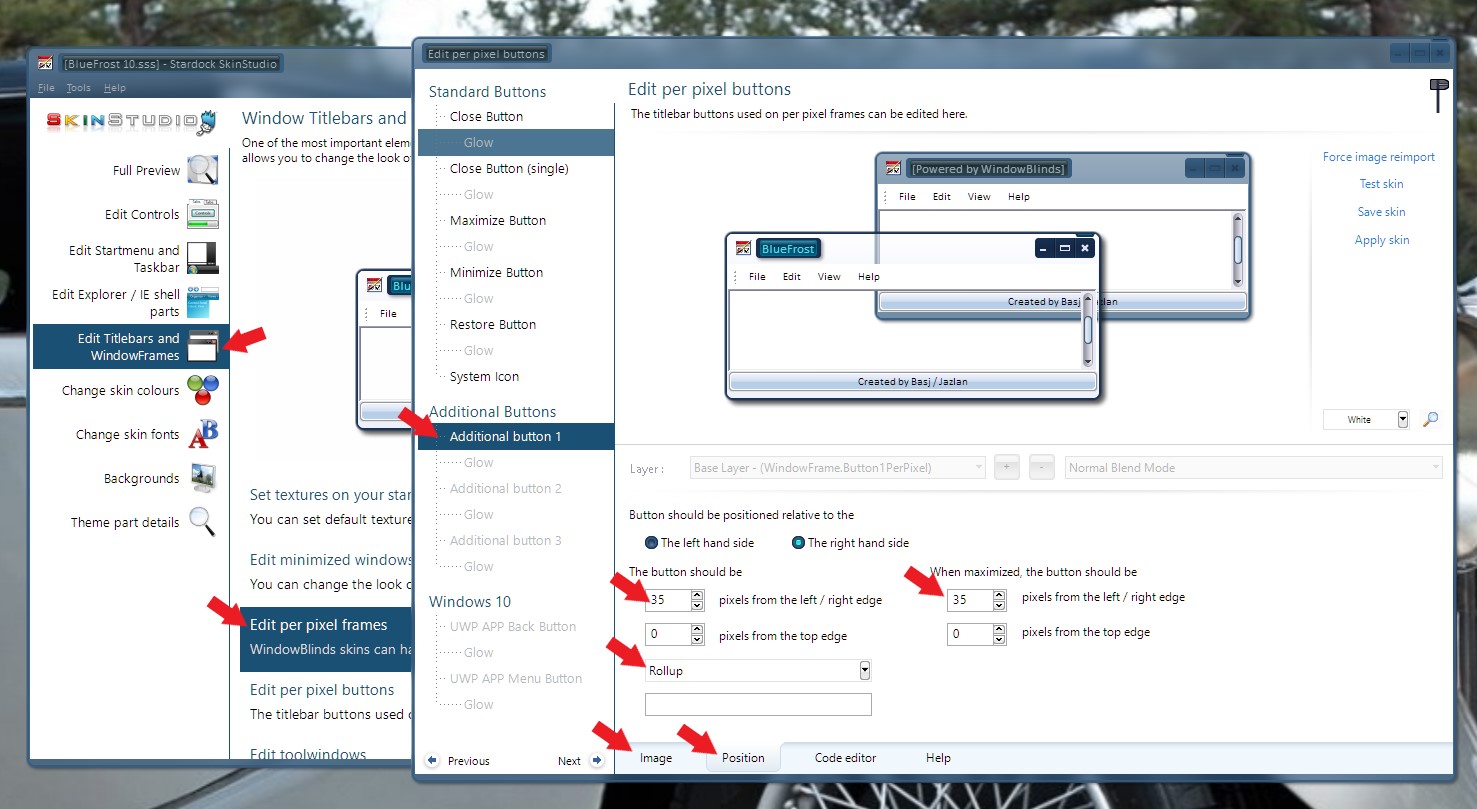
Please use Skinstudios and edit at Titlebars and WindowFrames -> Edit per pixel frames -> Additional Button -> Set the image -> Set the Position -> Set it to do "Rollup" (Refer to image below )

Basj,
Stardock Community Assistant.
Thanks for the reply. Would I have to change the position of the restore or minimize button. Thanks again!
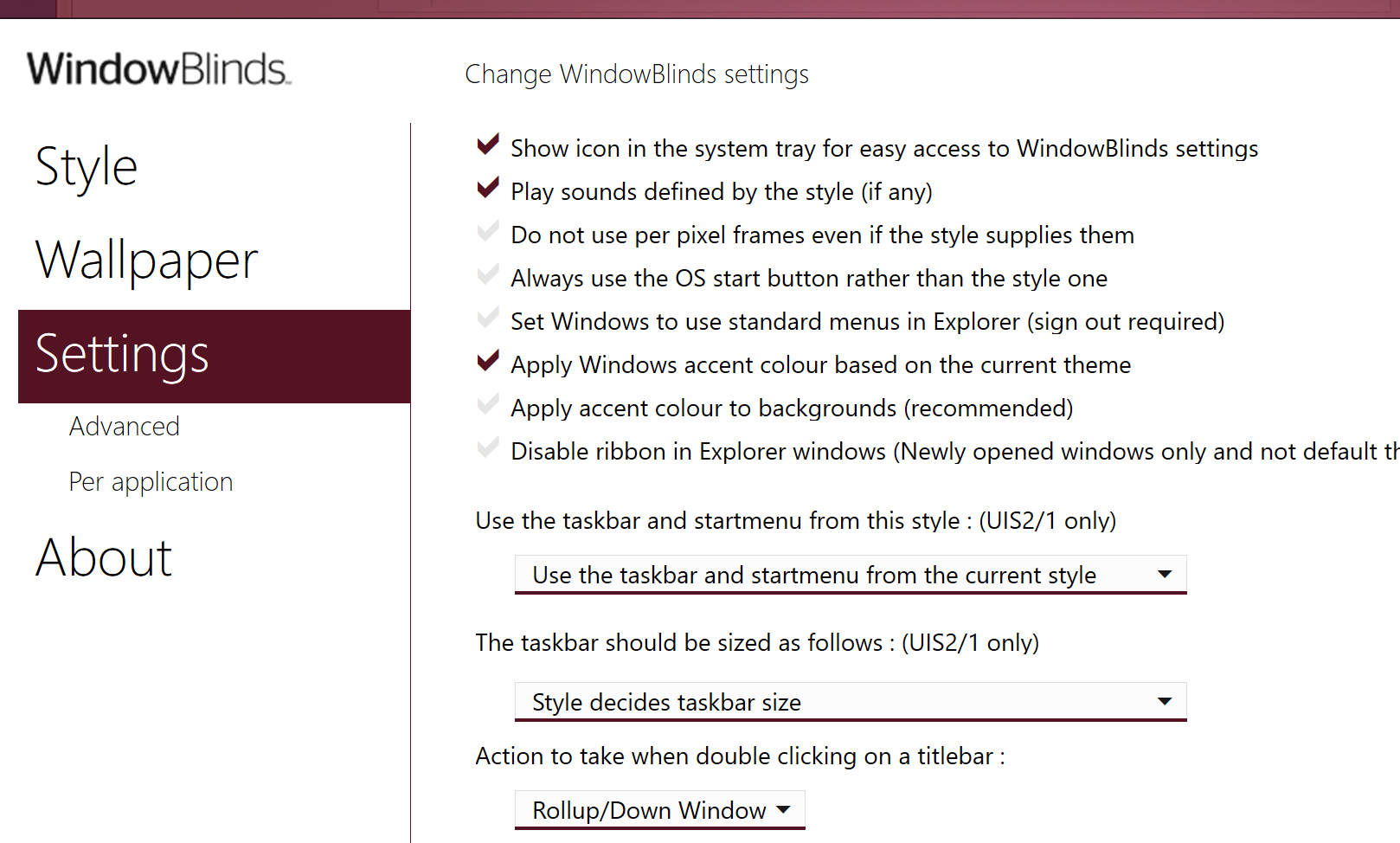
You could also just change the action to take when double-clicking the titlebar in the WindowBlinds configuration settings.

Yes or no, depend where you want to put that rollup button. Just don't overlap those buttons.
Thank you,
Basj
Stardock Community Assistant.
Cool. Thanks again!
Welcome Guest! Please take the time to register with us.