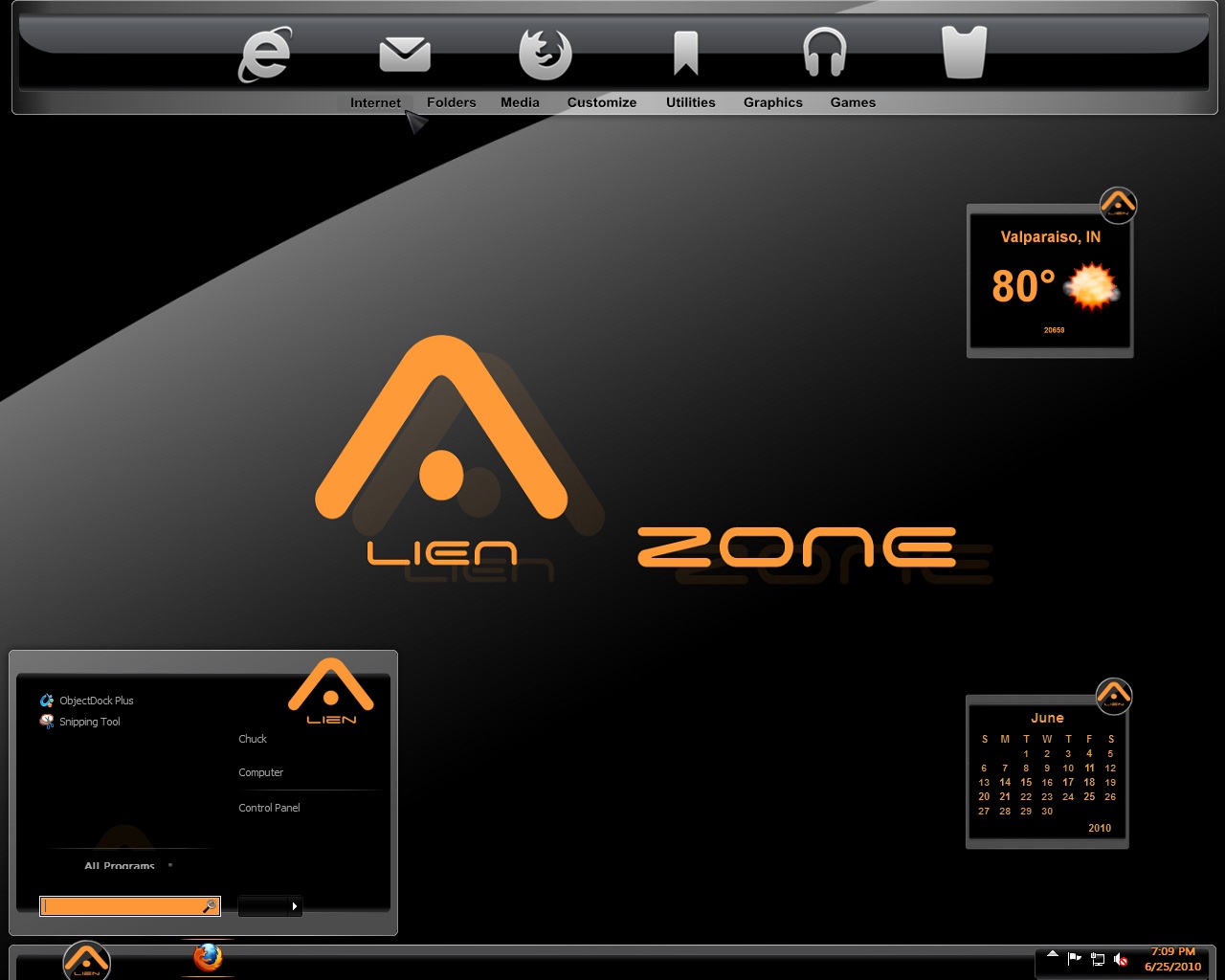
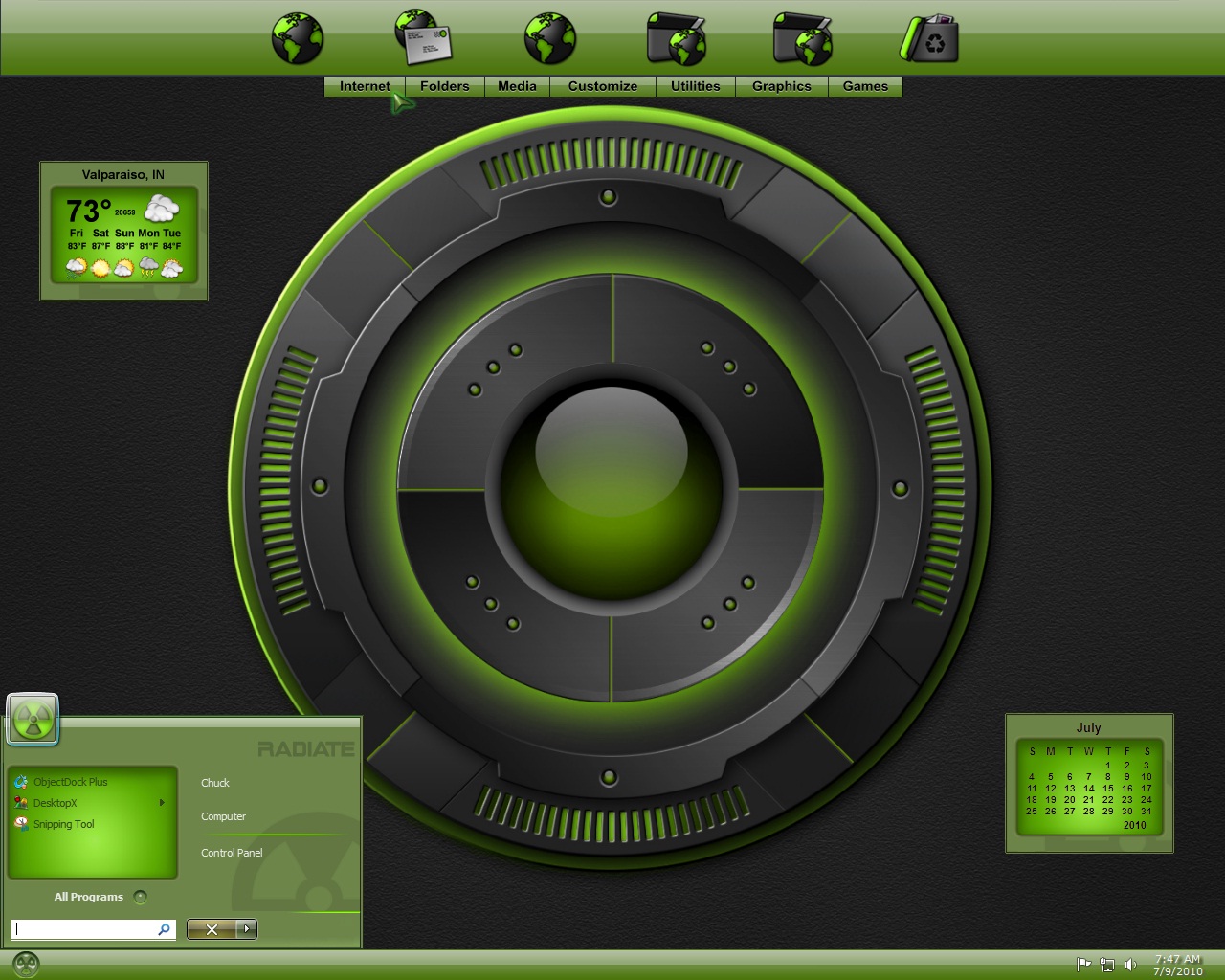
start menu

How do you make a short start menu as I have seen in many screenshots? I've tried editing the skin and saving, but it hasn't change when I re-apply the windowblind.

Thank you, Mary

11,455 views 28 replies
Reply #1 Top

The height of the start menu is controlled mainly by how many items you have on the start menu, editing the skin would not make that much difference if you have a lot of items on your start menu.

Reply #2 Top

How do you make a short start menu as I have seen in many screenshots?
End of quote

To decrease the number of programs you have listed on the start panel (and thereby decrease the height of the start panel):

Right click on the taskbar, select Properties.  When that window opens, select the start Menu tab, then click on the Customize button.  At the bottom on the right, is the place where you can decrease the number of program items.  Click OK.  Be sure to click on Apply before you close out of the Properties Window completely.   

Reply #3 Top

Note that you may need to decrease the number of items on the right side as well as the number of pinned or recently opened programs shown on the left side to get it as short as you want. You may also try switching to small icons for further size reduction. (I like my start menu short as well.)

Reply #5 Top

In those shots, small startpanel icons are being used. That would also make a difference.

Reply #6 Top

Hey MzGaz, I see you are a fellow Hoosier!  Nice screen shot of my Radiate theme on Win 7, looks good!

Reply #7 Top

I realize about the small icons, the only thing I have on my start menu is computer and control panel and still the start menu is larger.

Lightstar, Hoosier? If you mean from Indiana, no sorry. I'm close though, Illinois |-)

Yes, Radiate is a great wb! Looks good on Vista, too. Just trying to figure out how to get my start menu that short. I'll ask the publisher of that SS as well.

Reply #8 Top

Lightstar, Hoosier? If you mean from Indiana, no sorry. I'm close though, Illinois
End of quote

Oop's sorry then, I just now realized those were not your screen shots.  :grin:

Reply #9 Top

maybe the short start menus are a windows 7 thing.

Reply #10 Top

Quoting MzGaz, reply 9
maybe the short start menus are a windows 7 thing.
End of MzGaz's quote


I don't think so, I was able to do a small startmenu when I used xp. Why don't you post a screenshot of what yours looks like, then someone might be able to figure out the problem.

Reply #11 Top

i edit the skin in skinstudio and it shows that the start menu looks small and I save it as a substyle. when i apply it, looks the same as if i hadn't resized it. tried reloading wb as well.

Reply #12 Top

I realize about the small icons, the only thing I have on my start menu is computer and control panel and still the start menu is larger.
End of quote

i edit the skin in skinstudio and it shows that the start menu looks small and I save it as a substyle. when i apply it, looks the same as if i hadn't resized it. tried reloading wb as well.
End of quote

It has nothing to do with editing in skinstudio, you say you only have computer and control panel on start menu, that is on the places (right) side, how many programs do you have on the programs (left) side. You must decrease number of items on this side as well in order to shorten the start menu.

Reply #13 Top

i have no programs listed on left side. Here is a pic of my desktop. I've even resized the program list image and the place list image in skinstudio. It shows that the menu is much shorter in skinstudio and I saved it as a sub-style, but it doesn't change what you see below once I reapply the skin after editing.


http://i873.photobucket.com/albums/ab299/mzgaz/stuff/DESKTOPFORUM.jpg

Reply #15 Top

Open SKS and edit the text margins for the places side...the bottom one will need to be a negative number. Its a Vista/7 bug.

Reply #16 Top

Editing the text margins will give me a vertically shorter menu like shown in the 2 screenshots above?

Reply #17 Top

Yes, just keep lowering the text margin on the right (places panel) side until you get what you want, even if you go into negative numbers.

Reply #18 Top

In SKS, chose "edit startmenu", chose "place list", chose "text". Played around a bit with the "bottom" and even lowered it all the way to -100 and saved changes. No change. Reapplied skin couple times, changed skin and reapplied the one I edited, still no change. I have free version of SKS, does that matter? 

Reply #19 Top

Make sure the amount of recently used programs to be displayed is set to 0.(and clear the list)  see if that helps.


SKS being the free version shouldnt affect this...but I've never used it so I cant swear.

Reply #21 Top

I emailed Chasbo and asked him how he did it. He just has to do "properties" on the startmenu. He has W7, I have vista. Must be the difference, darn. I'm still hoping to find a way in SKS to do it. When I was on XP I substyled compact menus (horizontally) all the time, but I guess things change and I have to learn all over again. Thank you everyone for trying to help me out!

Reply #22 Top

Must be the difference, darn.
End of quote

I think you are correct.  I remember having a problem getting my menu shorter..........another reason Vista sux in so many ways!

Reply #23 Top

Yep, you cannot shorten the height of the start menu much in Vista, it will always be taller no matter what.  All this time I thought you were talking about Windows 7.

Reply #24 Top

Two desktop icons and a sidebar shutdown gadget would handle what you have left, other than reading the All Programs list which would be a pain  so....dumb question time. Why would anyone want a start menu that short?

Reply #25 Top

Sorry about that LightStar.

Wizard, don't really care for having any icons on my desktop except the ones in my sidebar and i like the compact look of a short menu.